Changelog
Changelog #003
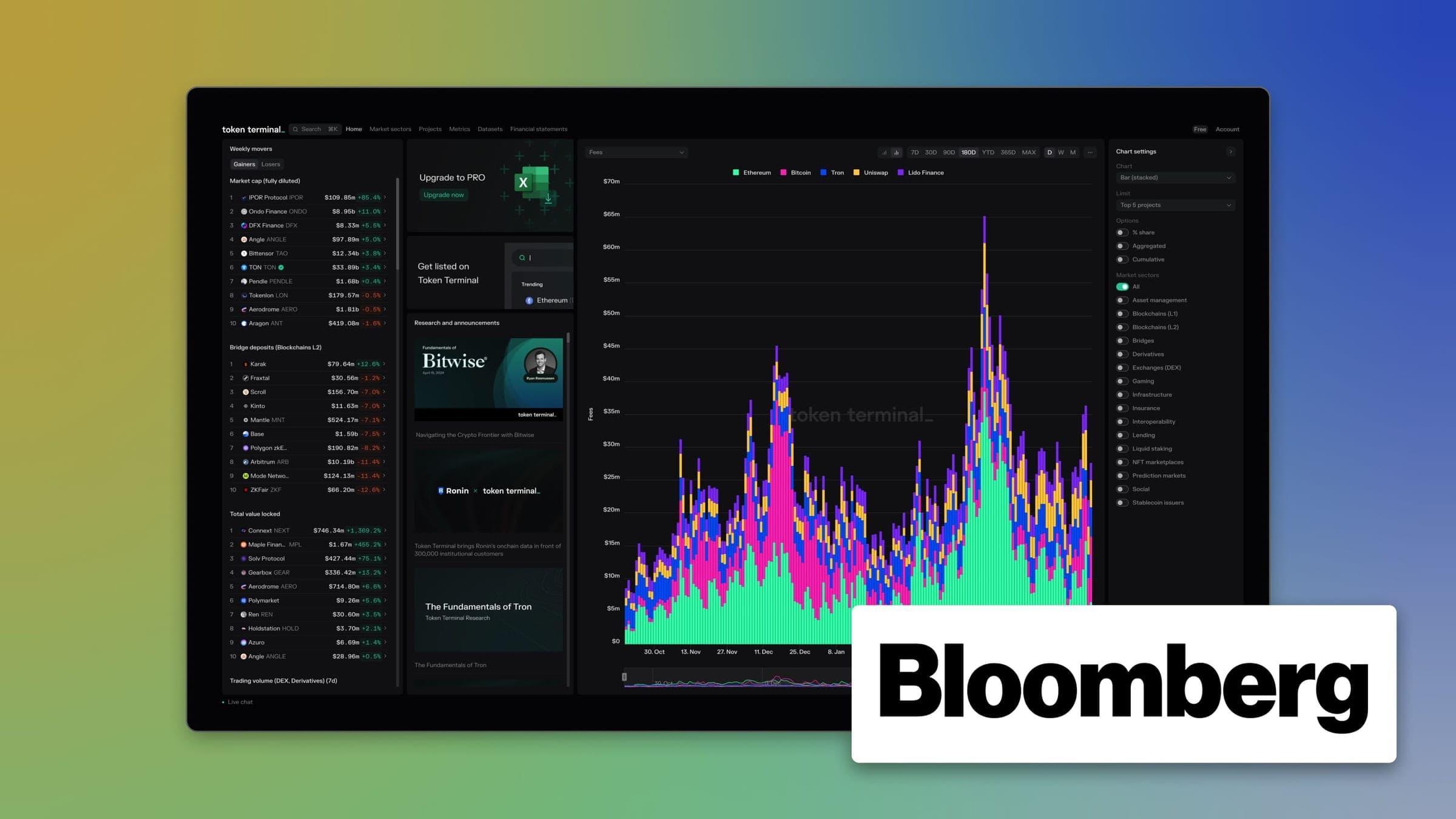
Updated the Bloomberg Terminal App
Through our partnership with Bloomberg, hundreds of thousands of institutional investors have access to standardized onchain data directly on the Bloomberg Terminal. In our latest release, we shipped a refreshed Terminal UI to our Crypto Fundamentals Application on the Bloomberg Terminal:
- Updated the Terminal Home Page - Users can now monitor Weekly movers, access recent research, as well as analyze Key metrics directly on the home page.
- Simplified the Navigation - Users can now navigate to all Market sector, Project, and Metric dashboards with one click.
- Enabled Quick Access to Datasets - Users can now find all our dataset dashboards, such as the Crypto Screener, Top Tokenholders, Trending Contracts, etc. under a single tab.
Data Updates
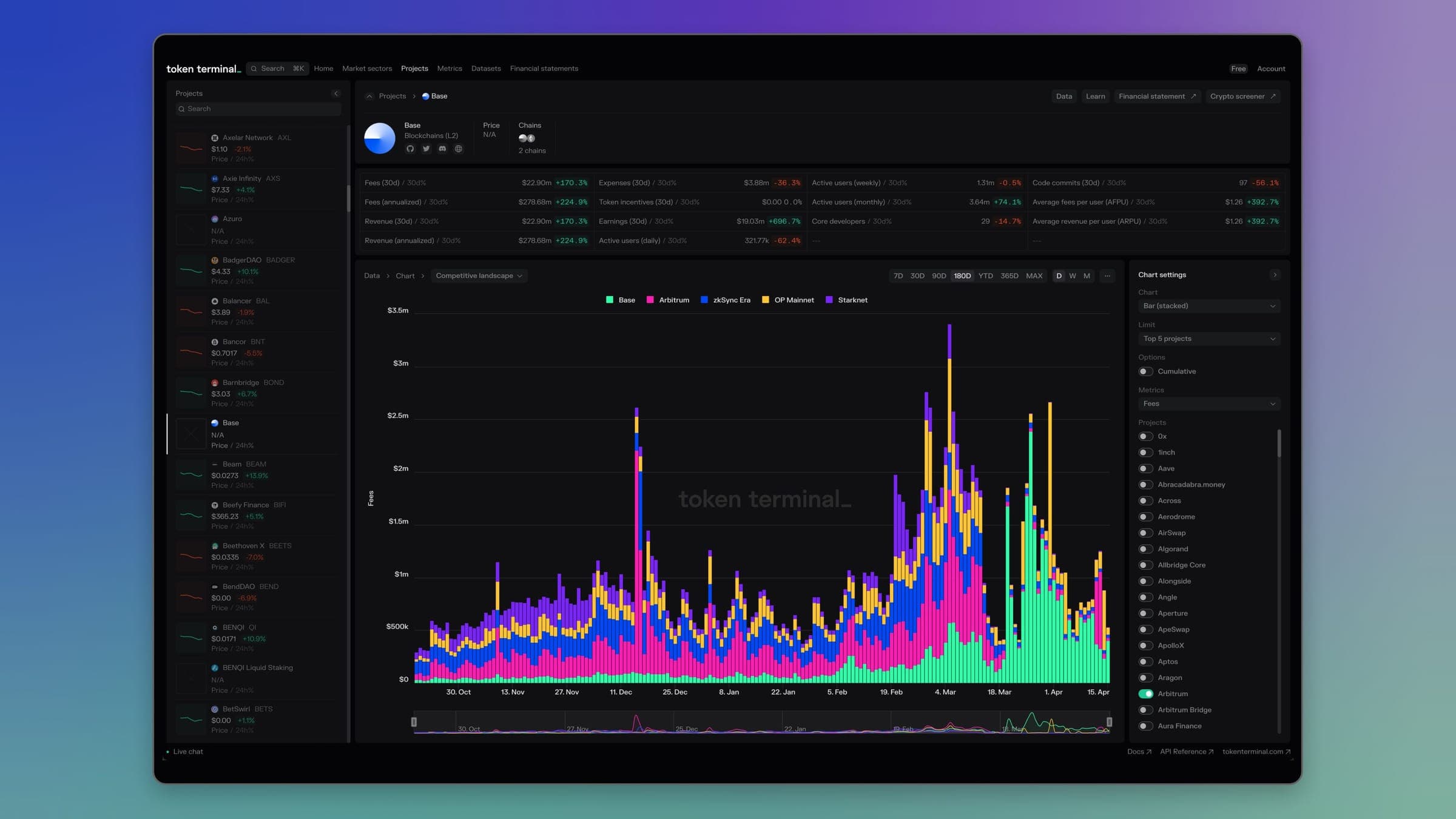
- Superchain Fees - We added a new metric that shows the revenue share that Superchain L2s pay to the Optimism Collective (OP holders). This metric is initially available for Base, but will be added for all L2s, where applicable. This metric allows investors to get an accurate understanding of the cost structure for L2s that are part of the Superchain.
- Round Valuations - We added a new metric to our Fundraises dataset that shows the valuations for individual fundraising rounds. When viewed together with the raised amount, this metric allows investors to understand the dilution that occurred during each fundraising round.
- friend.tech - We added market data and token related metrics, as well as valuation multiples for friend.tech. These metrics allow investors to understand how the market values the SocialFi application in relation to its underlying fundamentals.
- Polymarket - We updated the TVL for Polymarket on Polygon to include all the relevant contracts that make up the Open Interest on the prediction market. This updated metric allows investors to accurately follow the activity level on the platform.
Enhancements & Bug Fixes
- 💅 Added additional chart settings to the composition by chain charts.
- 💅 Updated the email templates for consistency.
- 🐛 Fixed title consistency in the Top Tokenholders dataset.
- 🐛 Fixed a bug with percentage-based axes to always show the correct ranges.
- 🐛 Fixed a performance issue with line charts that were set to max. time frames.
- 🐛 Fixed a bug with data downloads on the home page charts.
- 🐛 Removed time-based granularities from home page charts that were grouped by project.
Changelog #002
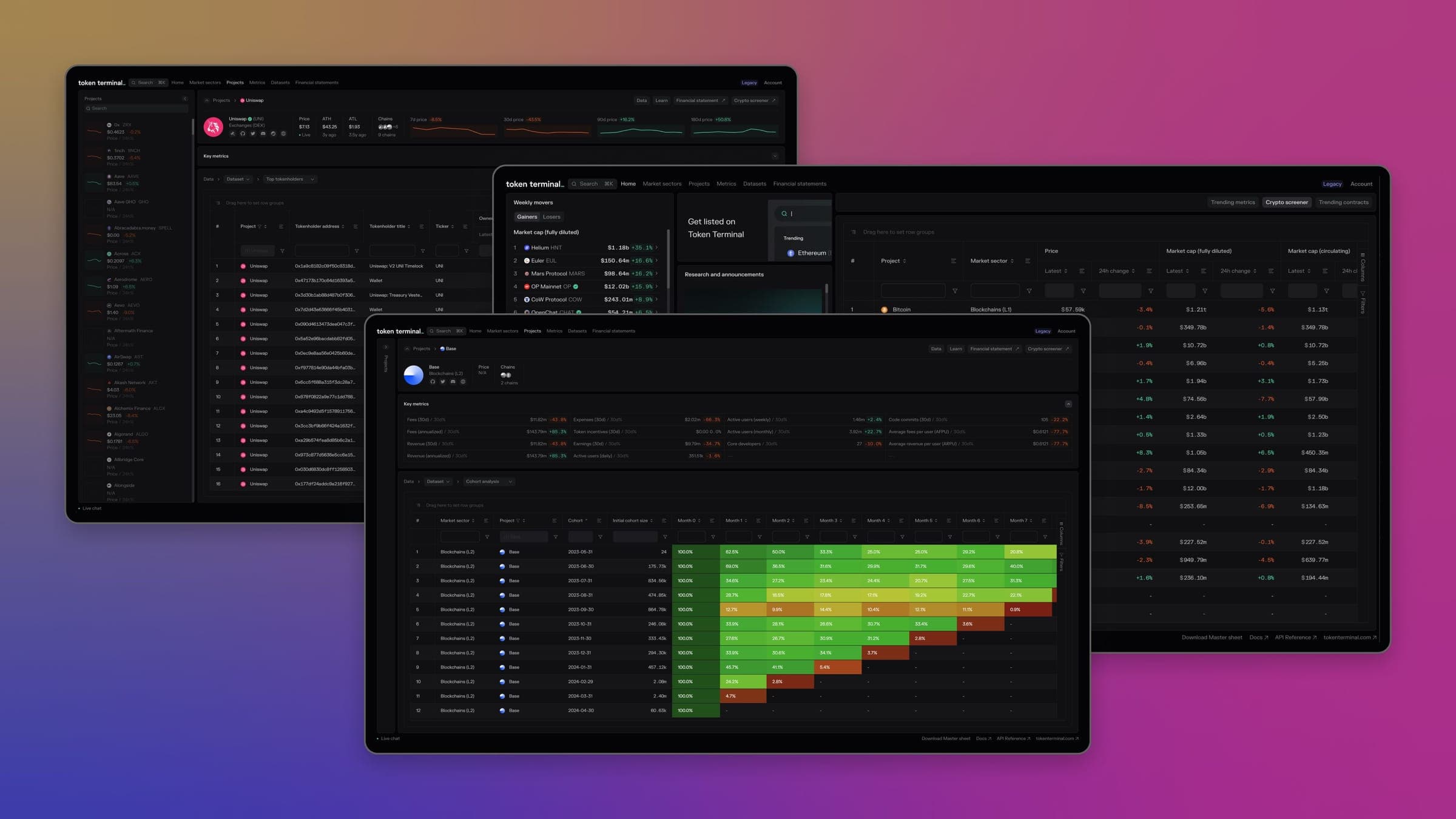
Crypto Screener on the Home Page
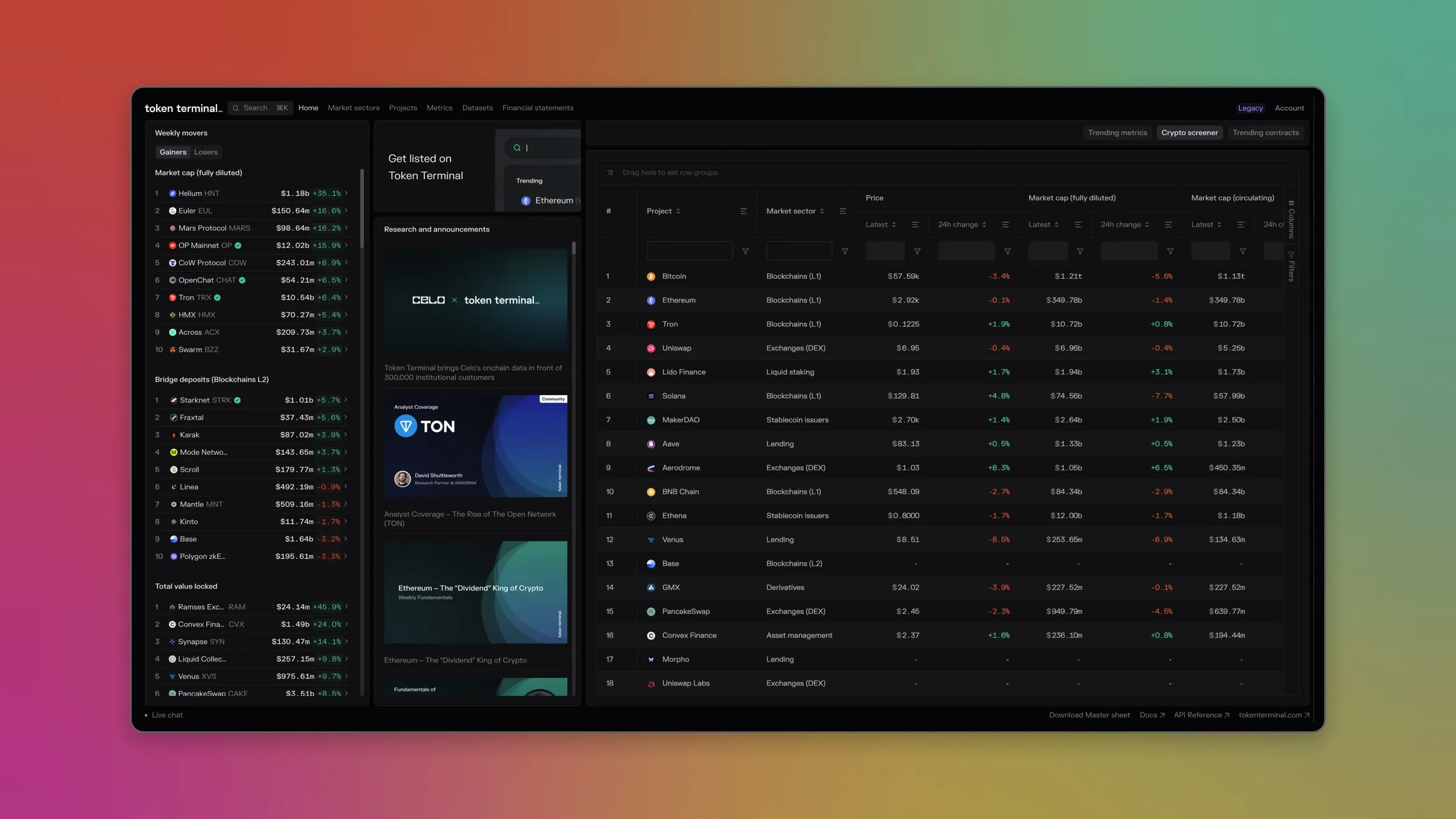
One of the most valuable tools on Token Terminal, our Crypto Screener, is now available right on the home page for easier access. The screener is essential for conducting in-depth comparative analysis across hundreds of tokens, allowing you to efficiently identify patterns and outliers. With full datatable functionality, you can rearrange columns, apply filters, and perform rigorous data-driven analysis to quickly assess and react to market movements. Try out the Crypto Screener on the home page today to level up your token research.
Datasets in Project Dashboards
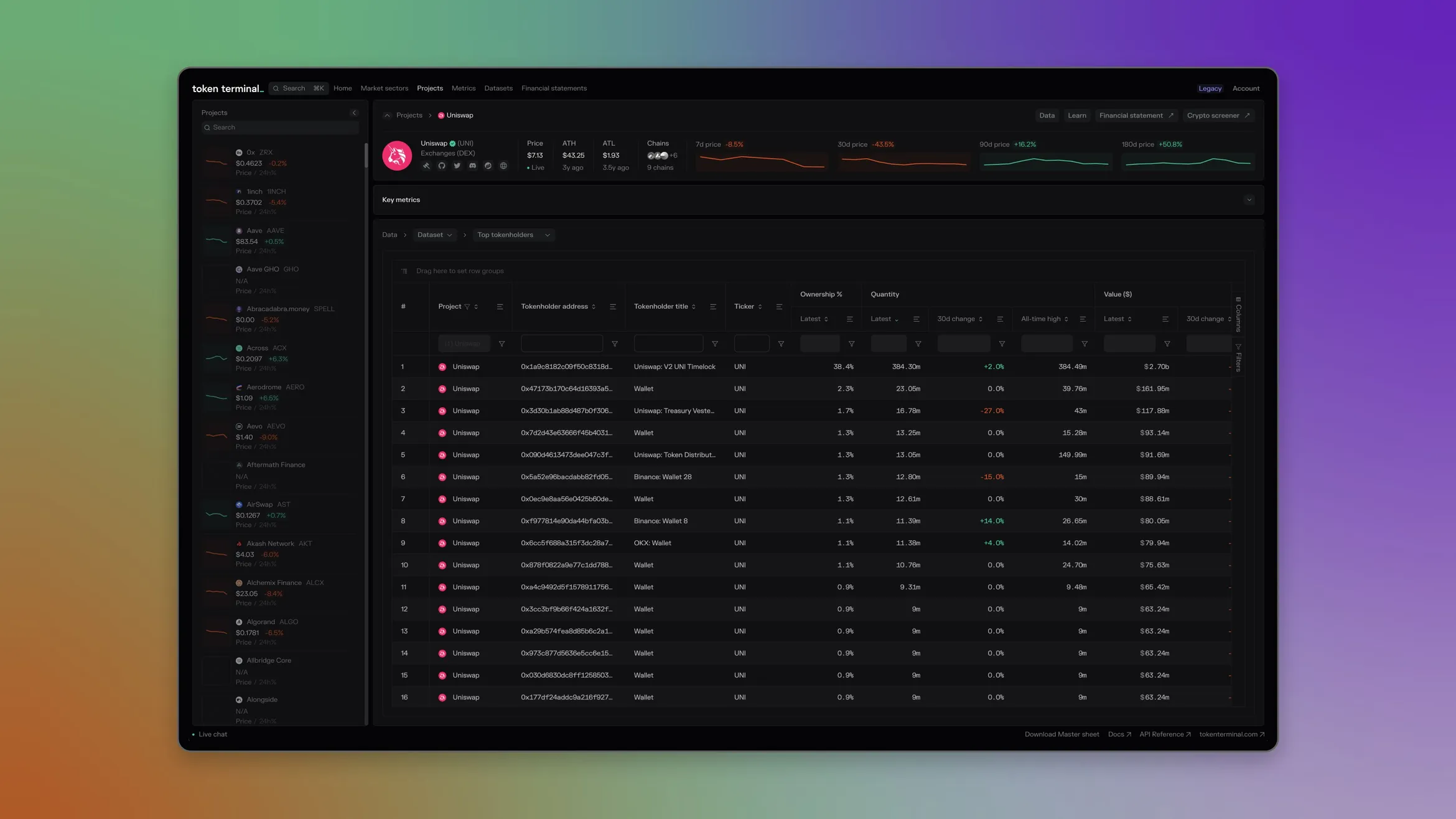
We've expanded the analysis capabilities on project dashboards by adding relevant datasets in addition to the existing Terminal charts. Now you can dive deeper into data for a given project, including top wallets, trending contracts, cohort analysis and more. To access this new feature, visit any project dashboard and use the dropdown above the chart to switch from "Chart" to "Dataset." Unlock new insights with this powerful addition to the dashboards.
Enhancement & Bug Fixes
- 🚀 Improved Chart Performance - We improved the performance of charts across our dashboard , focusing on speed of data loading and fixed some bugs where rerendering caused some screens to become unresponsive.
- 💅Added Loader to Charts - For larger data sets with variable loading times, we added a loading indicator to help users understand that data was being fetched after they have changed a setting about the chart.
- 🐛Fixed a bug where users couldn't deselect projects in the legend of competitive analysis charts.
- 🐛Fixed a bug where historical charts time period defaults were not working correctly.
- 🐛Fixed a bug where static metrics were not being calculated correctly.
Changelog #001
Welcome to the Token Terminal Changelog. Here, we’ll keep you up to date on the latest data and product updates on our platform. Be sure to follow us on X to stay in the loop on the latest changes.
Terminal UI Update
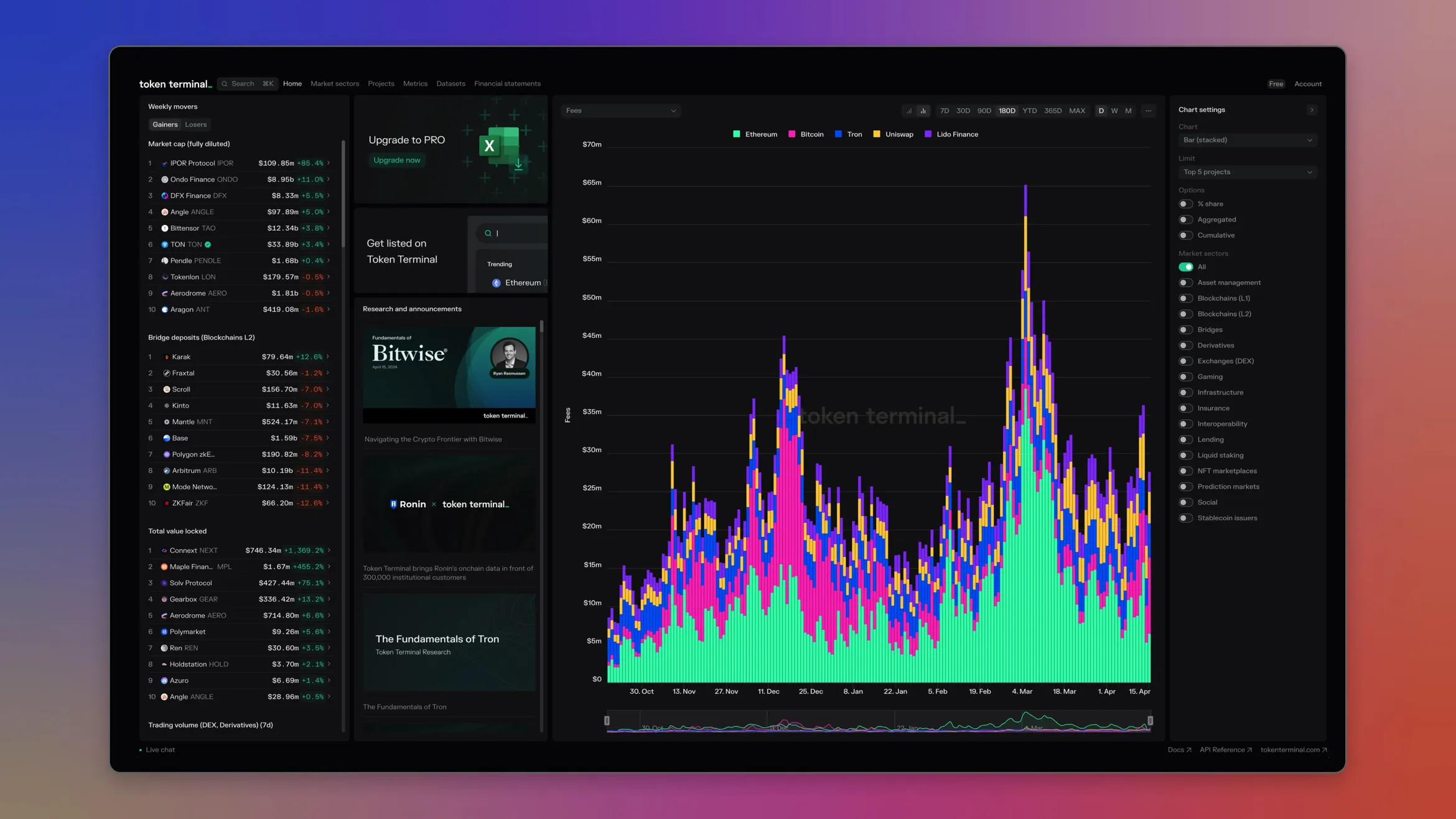 The updated Terminal home page
If you logged into the Terminal recently, you probably noticed that the interface has changed. Our team has been hard at work improving the Terminal interface especially for our power users. The updated Terminal focuses on data density, making the platform easier to use by expanding the workable surface area and giving users more data within a single window. You can also cross compare between up to 20 different chains and projects within a single chart, making it easier to perform fundamental analysis across a wider set of data. The new interface also increases legibility with sharper typeface and color contrast, ensuring that data visualizations are easier to understand at first glance. Additionally, we simplified the navigation across the top of the Terminal, making it easier to discover insights among market sectors, projects, metrics, and even custom datasets our team has created. If you haven’t had a chance to check it out, log in to the Terminal and create your free account if it’s your first time.
Celo Now fully integrated into our Data Pipeline
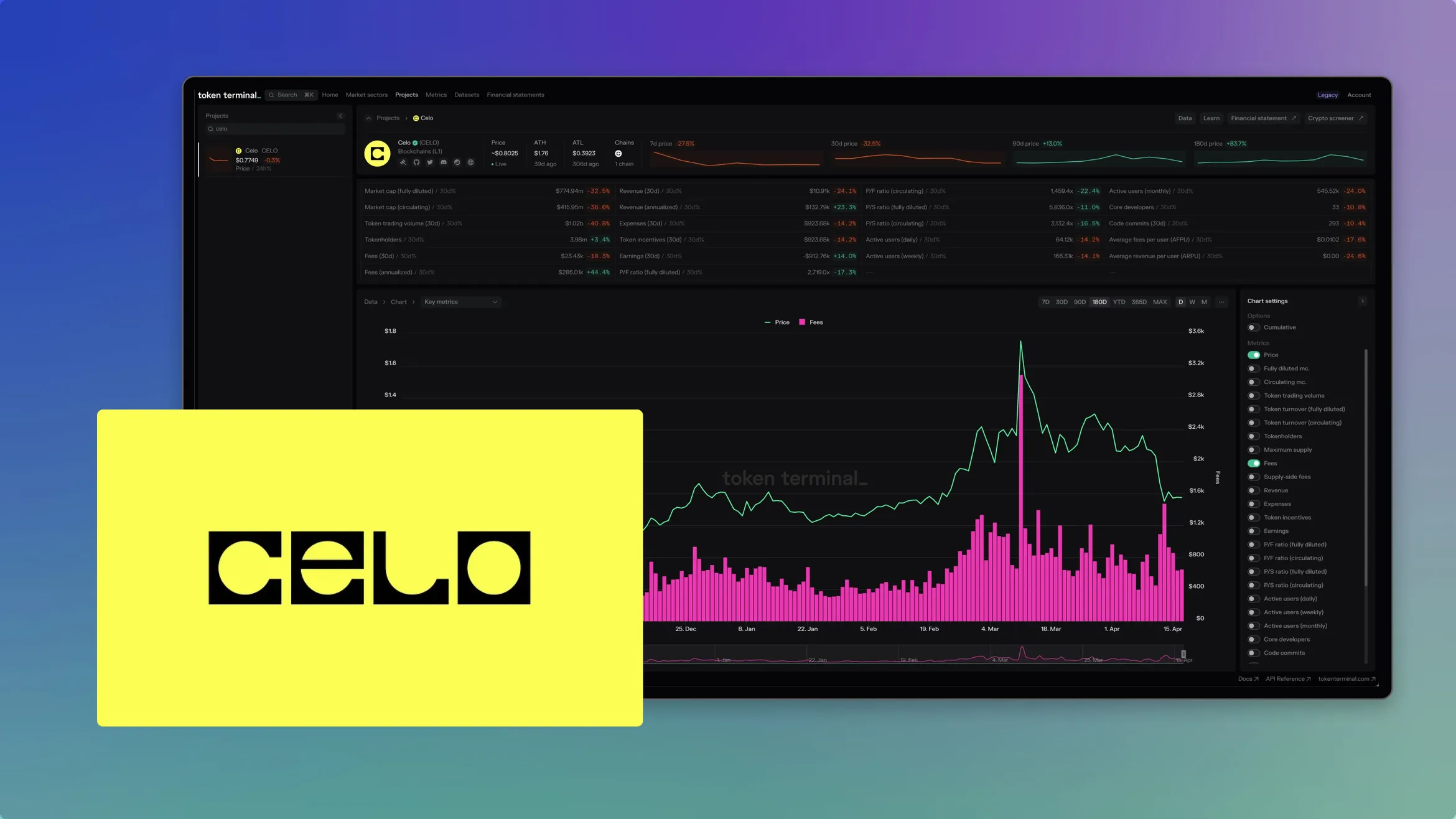 Celo blockchain data is fully integrated into Token Terminal's on-chain data pipeline
We have completed our integration of Celo into our data pipeline and warehouse to enable institutional-grade onchain analytics for the Celo network. This integration improves the accessibility of Celo’s onchain data to enable more informed decision-making for all stakeholders in the ecosystem.
Data Infrastructure Enhancements
- Redundant Archive Nodes: To ensure maximum data granularity, accuracy, and auditability, we have set up redundant archive nodes for the Celo blockchain.
- Historical Data Ingestion: The complete historical raw blockchain data from these nodes has been indexed into the Token Terminal data warehouse.
- Data Standardization and Maintenance: We have standardized this vast amount of data into blocks, transactions, traces, and logs tables. Automated upkeep tooling has also been developed to maintain the ongoing accuracy of this dataset.
Data Abstraction and Analysis Tools
- Optimized Abstraction Tables: New tables have been created to optimize the tracking of Celo token transfers and flows.
- Comprehensive Token Price Feeds: We've established robust token price feeds for Celo based on liquidity pool prices from leading decentralized exchanges.
Dashboard and Metrics Enhancements:
- New Metrics on Celo Dashboard: Enhancements to the Celo dashboard now include metrics for CELO tokenholders, token incentives, expenses, earnings, contract deployers, and contracts deployed.
- Updated Trending Contracts Dataset: This dataset now features new data points for Celo, such as account age, the most transferred asset by USD value, inflows, outflows, and net flows.
- Enhanced Trending Wallets Dataset: Updates include metrics like transfers from, most transfers from, transfers to, most transfers to, inflows, outflows, and net flows.
Token Terminal Data Room customers now have access to comprehensive Celo data including blocks, transactions, traces, logs, and decoded smart contract data, along with optimized abstraction tables and token prices. Additionally, Token Terminal API and Pro customers can now utilize the expanded Celo data in their analyses, facilitating more informed and effective decision-making.
Data Updates
- Added TON Trending Wallets - We have added TON wallets to our Trending Wallets dataset, tracking the top thousand wallets. You can view the TON wallets in the Dataset by visiting the Trending Wallet dataset and filtering for the TON chain.
- Included Blitz in the Vertex dashboard - We integrated Blitz–Vertex’s new deployment on Blast–metrics to the Vertex dashboard, resulting in up-to-date values.
- Added net deposits metric to the Swell dashboard - We now track the assets deposited into the Swell L2 pre-launch deposit contract.
Enhancement & Bug Fixes
- Deprecated business_line and contract_name - We have removed two dimensions from our API endpoints: business_line and contract_name. These fields were used for older project classifications and will be replaced with more standardized metrics around sub-project offerings.
- Improved Metrics Transformations Pipeline - We reduced the time it takes to run parts of our transformation pipeline allowing us to standardize accounting metrics across chains and projects more quickly. Some transformations were reduced from ~18 minutes to ~58 seconds. These improvements ensure that our data pipeline can continue to handle the widest and most trusted data set on crypto fundamentals.