> ## Documentation Index
> Fetch the complete documentation index at: https://tokenterminal.com/docs/llms.txt
> Use this file to discover all available pages before exploring further.
# BigQuery
> Access Token Terminal datasets directly in Google BigQuery.
## Overview
To access data from our datasets on [BigQuery](https://cloud.google.com/bigquery), you'll need a Google Cloud Platform (GCP) account and an invitation from our team. If you haven't been in touch with us yet, please reach out to us at [sales@tokenterminal.xyz](mailto:sales@tokenterminal.xyz) to request access.
Once you've signed up and received access, navigate to BigQuery, where you'll find the SQL interface. Below, we've provided a detailed, step-by-step guide to help you access our datasets.
## Video Walkthrough
## Steps for adding a Token Terminal dataset in BigQuery
1. Navigate to [console.cloud.google.com/bigquery](https://console.cloud.google.com/bigquery)
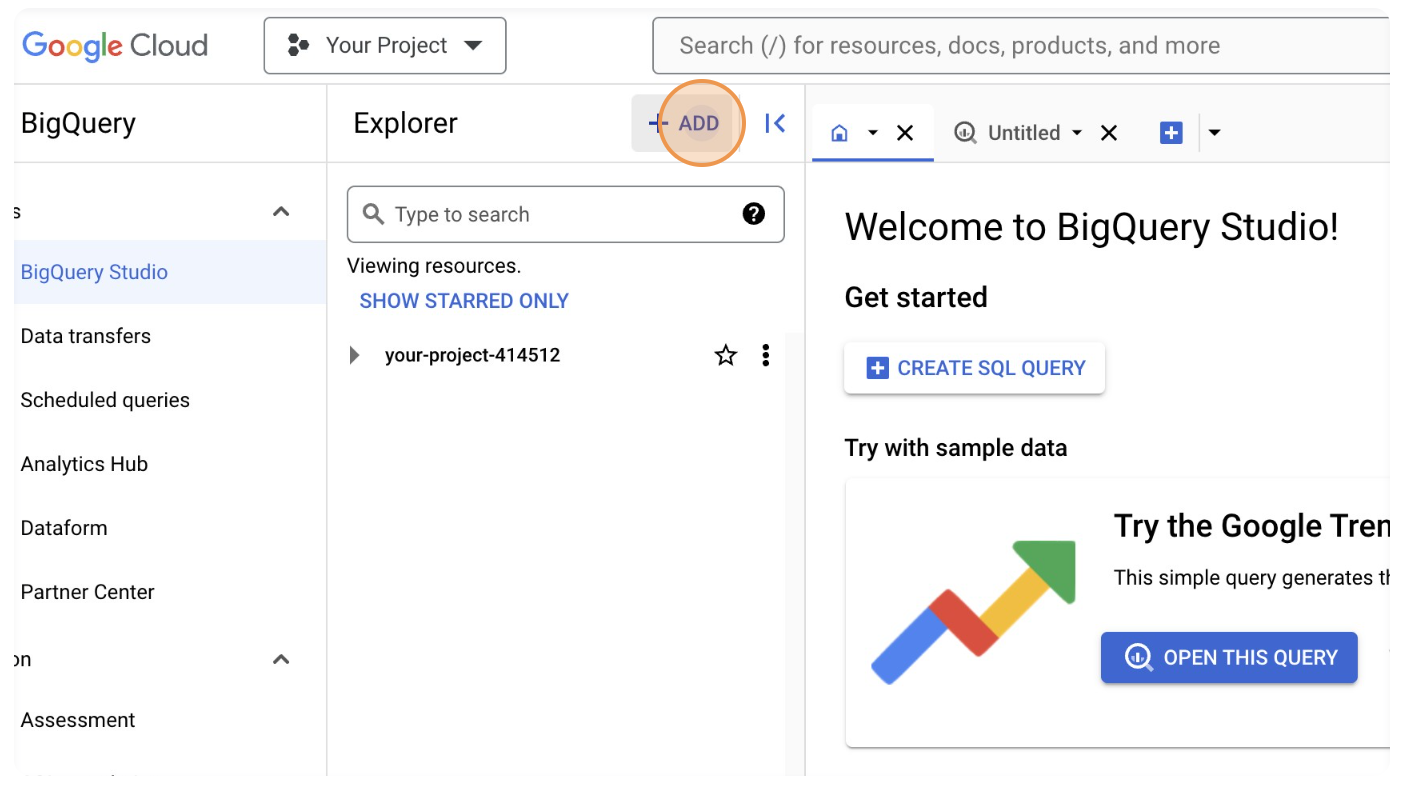
2. Click on "ADD".
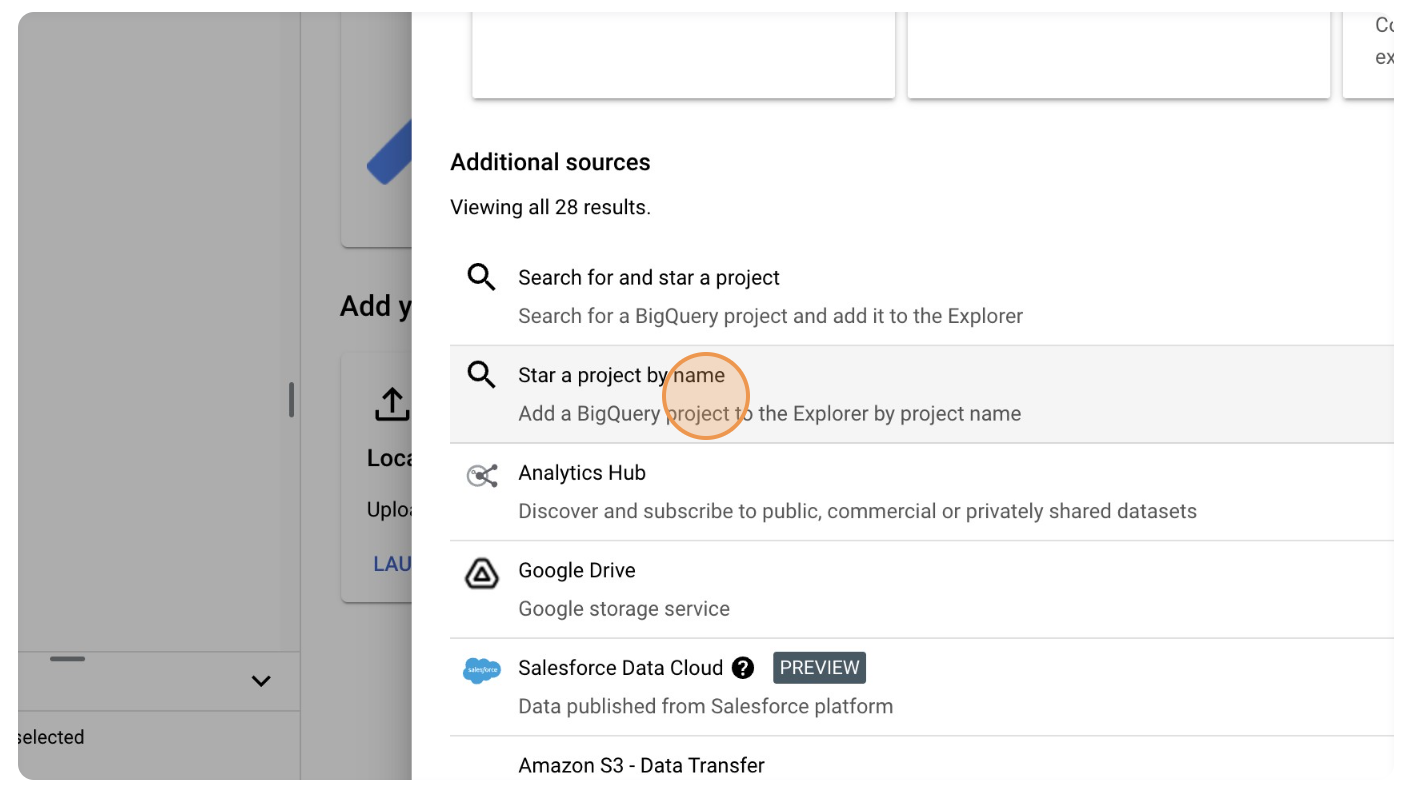
3. Click on "Star a project by name".
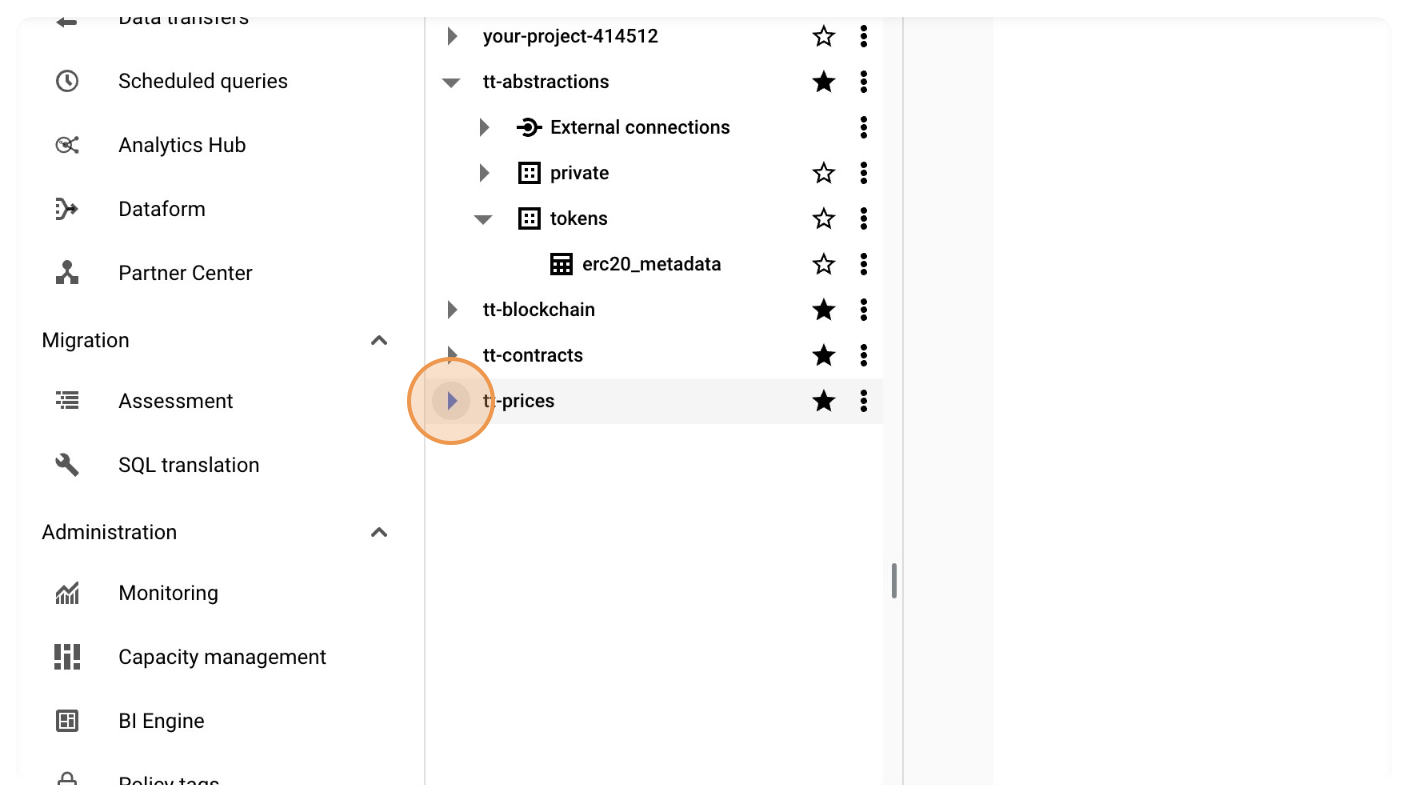
4. Insert the project (data table) name. The four project names are
* `tt-contracts`
* `tt-blockchain`
* `tt-abstractions`
* `tt-prices`
Check out the official BigQuery syntax guide for more information on how to use the platform's SQL implementation.
 3. Click on "Star a project by name".
 4. Insert the project (data table) name. The four project names are
* `tt-contracts`
* `tt-blockchain`
* `tt-abstractions`
* `tt-prices`
4. Insert the project (data table) name. The four project names are
* `tt-contracts`
* `tt-blockchain`
* `tt-abstractions`
* `tt-prices`